In the “Distribution” panel, you have complete control over every aspect of particle distribution, allowing you to shape the look and feel of your trees exactly as you envision. Whether it’s the density, placement, or randomness of leaves, flowers, fruits, or seeds, you can effortlessly customize and fine-tune them to achieve your desired aesthetic.
Distribution Panel
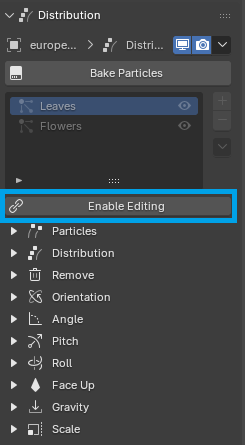
“Distribution Modifiers” are Geometry Nodes modifiers present in every tree object. Their node groups are linked to the Treezy library to optimize disk memory usage and are not editable by default. By clicking on Enable Editing, you can create a local copy of the node group, allowing you to customize and modify it as needed.
Distribution Nodes
“Distribution Nodes” are distribution groups for each particle type (leaves, flowers, etc.). Click on a node to expose it’s properties:
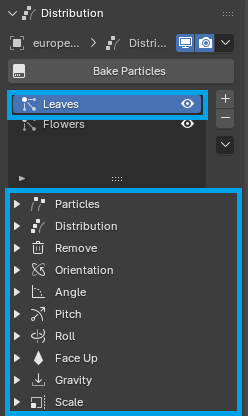
You can set the node visibility by clicking on the eye icon next to it. Simply toggle the eye icon on or off to control the visibility of the specific node in the distribution setup.
Particles
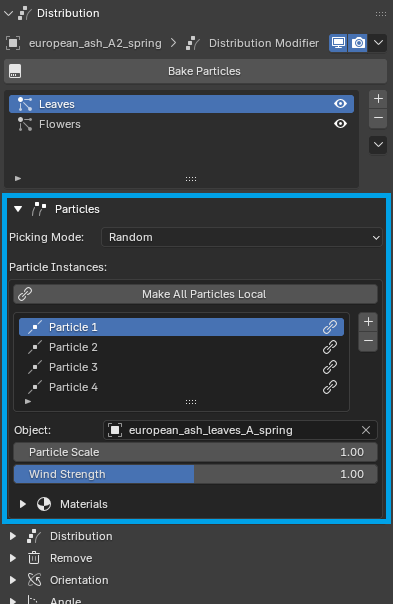
Each node contains a number of particle objects. These can be adjusted in the Particles sub-panel:
Make Particles Local
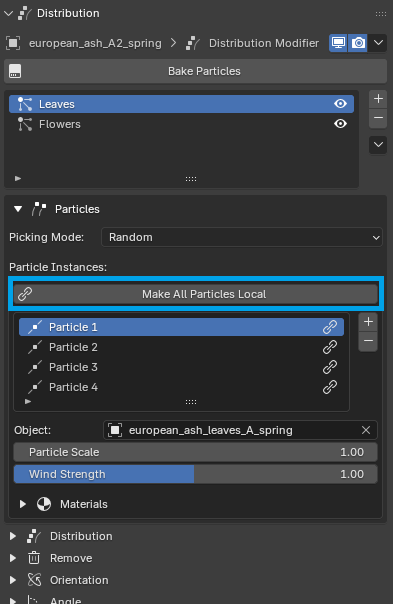
These particle objects are linked to the Treezy library, which is why you can’t adjust particle materials by default. To gain control over the particle materials, simply click on Make All Particles Local in the Particles sub-panel:
Edit Particle Material
After making particles local, expand the Materials panel and click on Enable Editing to create a local copy of the material:
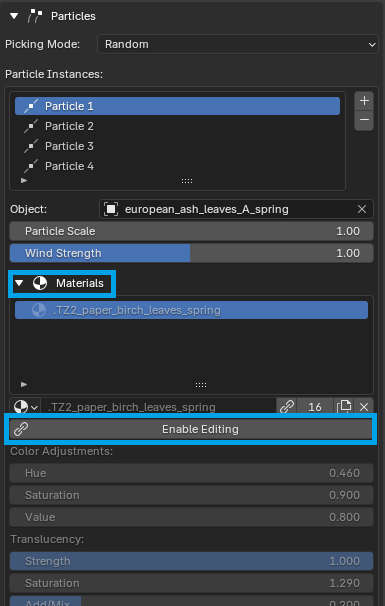
This will expose this particle’s material properties. See Materials for more information.